← dailyblip · guides
Get guides like this by email → subscribe below
Guide

10 Best AI Music Generators for Beginners: Features, Pricing, and Use Cases

You don't need to know anything about music production to make a usable track. Here's where to start.

Last reviewed July 18, 2026
QUICK ANSWER

For most beginners who want a full song with vocals and no music background required, start with Suno's free tier. For background music on commercial projects, look at Mubert or Soundraw on a paid plan, but note that Mubert prohibits standalone streaming release and Content ID registration on all plans, so check whether your intended use is actually covered.

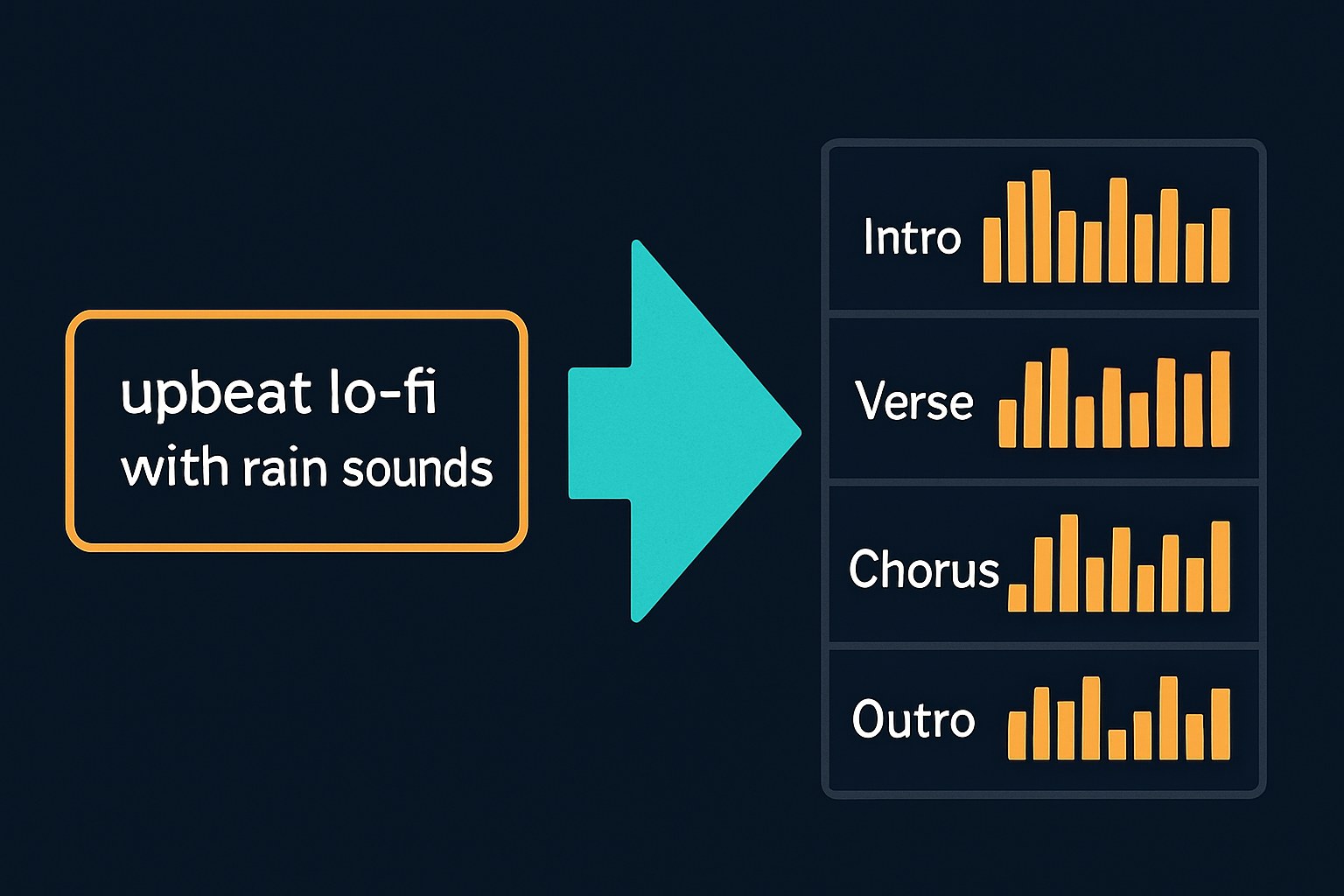
A text prompt on the left transforms through an aqua energy burst into a labeled song structure waveform on the right, on a dark navy background.
Every tool on this list starts with a text prompt and ends with playable audio — no DAW or music theory required.

AI music generators let you describe a song in plain English (or click a few mood/genre buttons) and get a finished track in under a minute. No DAW, no theory, no instruments required. The tricky part isn't learning to use them, it's knowing which one to pick, and understanding what you can actually do with the music once you have it. This guide covers the tools worth starting with and the one thing beginners consistently overlook before they publish.

What these tools actually do (and where they fall short)

Every tool on this list works through a browser. None require a download, a DAW, or any music theory knowledge. The difference between them is mostly what kind of input they want and what kind of output they produce.

Some tools, like Suno and Udio, take a text prompt and generate a full song complete with vocals, lyrics, and instrumentation. Type "upbeat indie pop song about a road trip" and you'll get something that sounds like an actual record. Others, like Soundraw and Mubert, skip the vocals entirely and generate instrumental tracks based on genre, mood, and energy sliders. That's a feature, not a limitation, if you need background music for a video or podcast and don't want a synthetic voice in the mix.

What none of them do: follow your specific harmonic or rhythmic ideas, guarantee a unique result no one else could generate with the same prompt, or produce stems on free tiers (stem downloads are available on certain paid plans, but not across the board). They're not a replacement for a composer on anything where musical originality is the point, but for a YouTube intro, a lo-fi study loop, or a proof-of-concept demo track, they're genuinely useful.
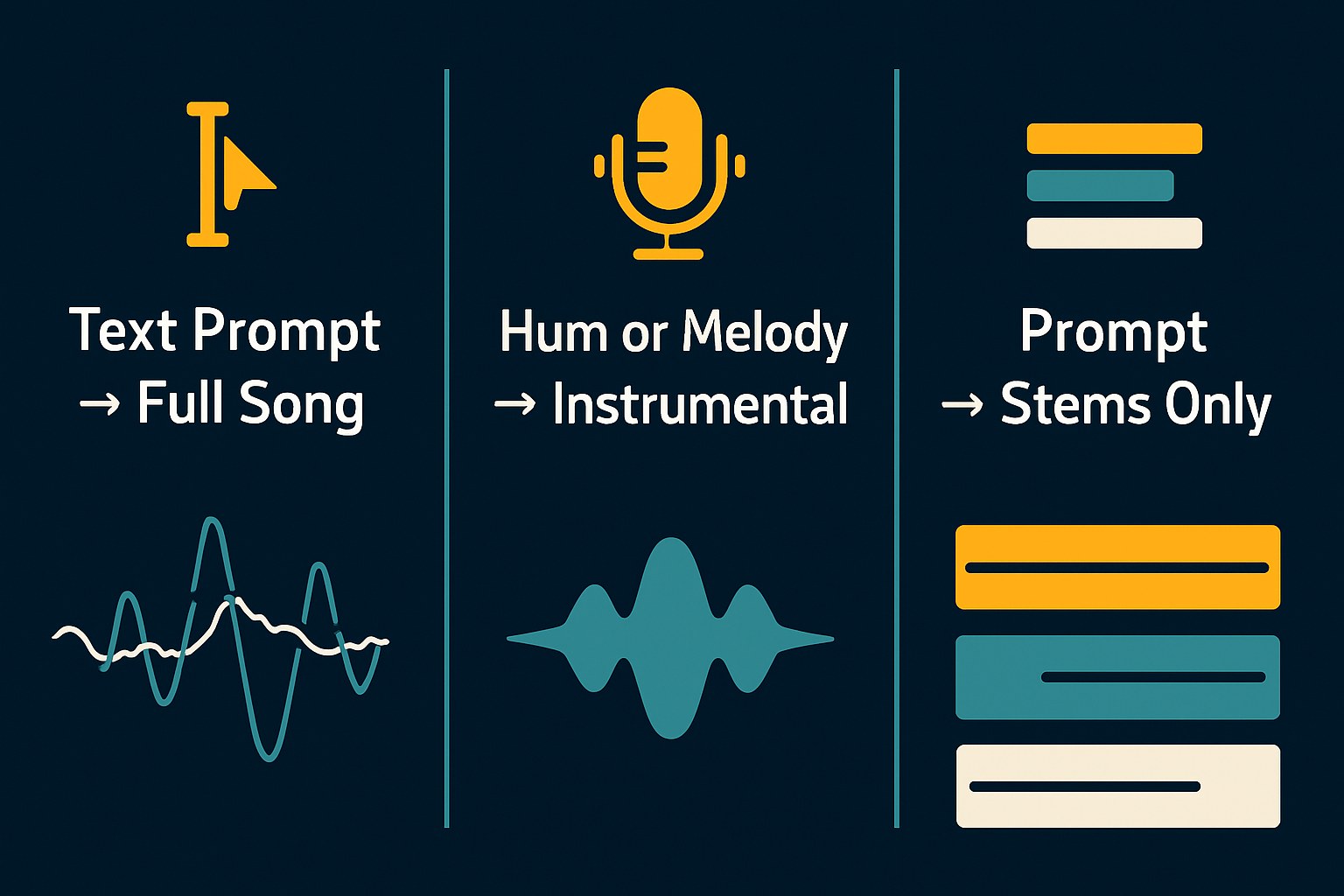
Three-column comparison diagram showing the three main input-output modes of AI music generators: text-to-song, hum-to-instrumental, and prompt-to-stems.
The tools differ most in what they ask for and what they give back — understanding this first saves a lot of trial and error.

The tools worth starting with

For a first-time user who just wants to hear something come out, Suno is the clearest starting point. The free tier requires no credit card and gives you enough daily credits to experiment meaningfully. Text prompts generate full songs with vocals and you can get quite specific about genre, tempo, and mood. Udio is the closest competitor and has a similarly accessible free tier, though per independent reporting, Udio's October 2025 settlement with Universal Music Group moved it to a walled-garden model where free downloads were removed entirely, and its commercial rights situation by tier remains actively contested across sources (verify at udio.com/terms before relying on it for anything you plan to release).

If you need instrumental-only tracks for a short film, a podcast, or a product video, Mubert and Soundraw are built for exactly that. Mubert works more like a radio station you tune: set the vibe, get a generated stream or downloadable track. Soundraw gives you more meaningful control via parameter sliders, and paid plans add stem downloads if you need to edit individual layers in post. Neither requires any creative input beyond a few clicks, but be aware that Mubert prohibits Content ID registration and standalone streaming release on all plans, so it's suited to background use in other projects, not to releasing music on its own.

Boomy sits in its own lane: it's the simplest of the group, with a style-picker interface and built-in distribution to Spotify and Apple Music. Per third-party reporting (ToolChase), Creator accounts are non-commercial and a Pro plan is required for ad-supported or monetized use; Boomy also takes a percentage of streaming royalties. Confirm current rates and terms at boomy.com before releasing anything commercially.
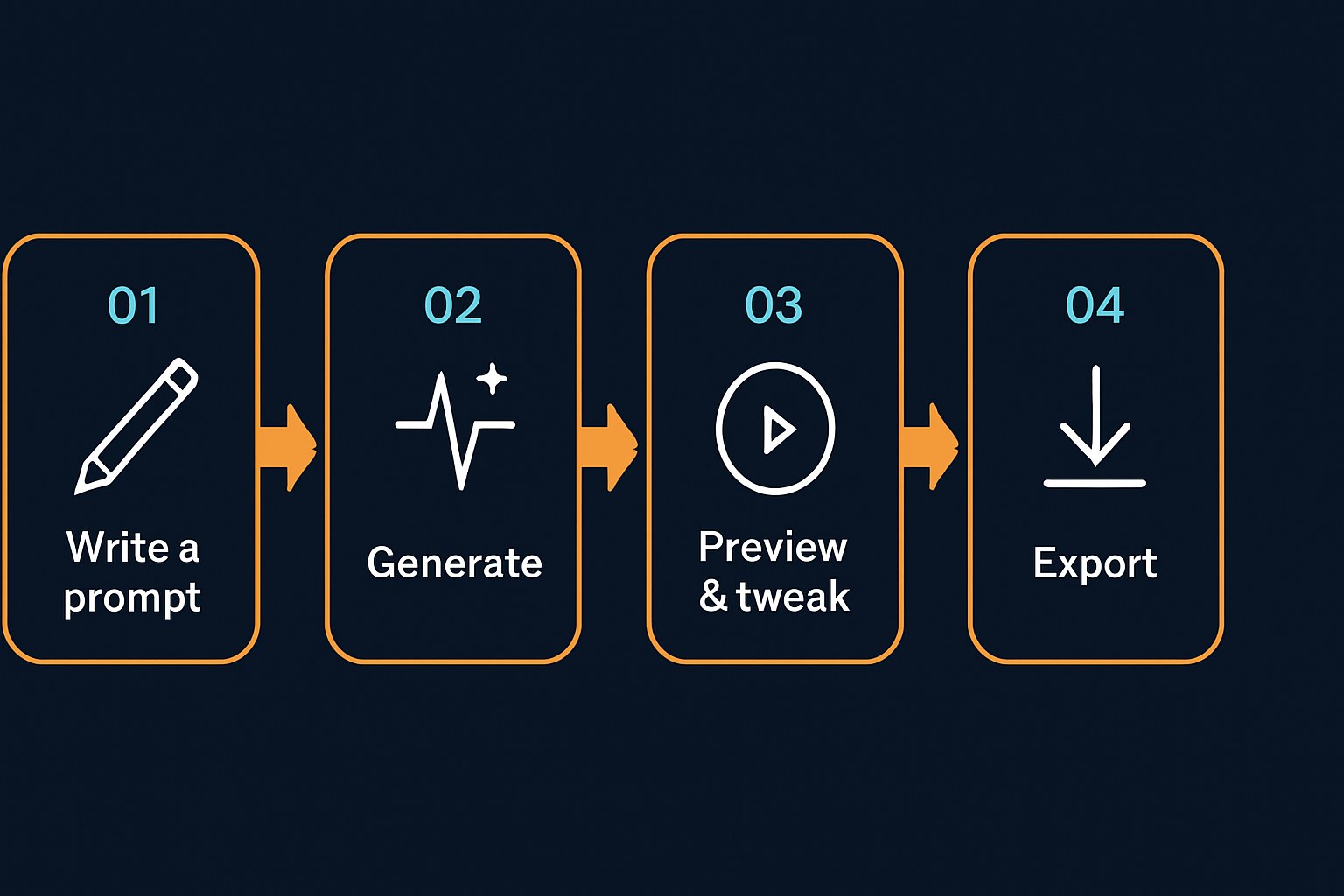

Four-step workflow diagram showing the beginner process for using an AI music generator: write a prompt, generate, preview and tweak, then export.
Suno's free tier lets you run through this loop as many times as daily credits allow — which is enough to get a feel for what the tool can and can't do.
Suno
Text-prompt-based AI music generator that produces full songs with vocals and lyrics. Browser-based with a mobile app. Free tier available, no credit card required.
Strengths: Easiest path from a text idea to a full song with vocals · Free tier is genuinely usable for personal experimentation with no credit card required · Commercial rights clearly available on paid plans per Suno's own TOS
Limitations: Free tier is non-commercial only; per Suno's TOS, free users cannot distribute or monetize outputs · Fully AI-generated music may not qualify for copyright protection under current U.S. law, Suno's own documentation acknowledges this · Sony had not settled with Suno as of March 2026, per independent reporting
Udio
Text-prompt-based AI music generator with more post-generation editing options than Suno. Free tier available, no credit card required. Download availability and commercial rights terms changed significantly after October 2025 licensing settlements.
Strengths: More developed editing suite than Suno, including Voice Control and Style Blending on paid tiers · Pay-as-you-go credits available for occasional users · Completed licensing deals with both UMG and WMG in late 2025
Limitations: Post-October 2025 UMG settlement moved Udio toward restricted downloads; export situation is still evolving, verify current terms before relying on outputs · Commercial rights by tier are disputed across independent sources; check udio.com/terms directly · Free tier caps are more restrictive than Suno's on full-length generations
Mubert
Instrumental-only AI music generator using a hybrid engine of human-recorded stems. Browser-based. Free trial available; full access requires a subscription.
Strengths: No vocals means no awkward synthetic voice in your video or podcast · Exports in MP3, WAV, FLAC, and M4A per Mubert's official pricing page · Each download comes with a license certificate for your plan tier
Limitations: Cannot generate coherent lyrics or lead vocals, instrumental and ambient only · On ALL plans, tracks cannot be registered for Content ID, released as standalone tracks on streaming platforms, or submitted to stock music sites, per Mubert's official pricing page · Free Ambassador tier is personal and non-commercial only
Soundraw
Parameter-based (mood, genre, and energy sliders rather than text prompts) instrumental AI music generator. Trained on in-house original compositions. Paid plans include stem downloads and commercial use rights.
Strengths: Trained exclusively on original compositions, making it fully cleared for commercial use on paid plans per independent reporting · Stem downloads available on paid plans for more control in post-production · No text prompt required, useful if you'd rather dial in a feel than describe it
Limitations: Instrumental only, no vocals or lyrics · Not text-prompt-based; you select parameters rather than describing what you want · Free tier availability is unclear, sources conflict, so check soundraw.io/pricing directly before assuming a free option exists
Boomy
Style-picker AI music tool with built-in distribution to Spotify and Apple Music. Designed for the absolute beginner with minimal input required.
Strengths: Simplest interface of any tool here, pick a style, press create · Built-in streaming distribution removes a step for creators who want to release · Full songs generated in seconds
Limitations: Boomy takes a percentage of streaming royalties, confirm current rate at boomy.com · Copyright ownership terms could not be confirmed from Boomy's official TOS for this guide, verify before releasing commercially · Less creative control than Suno or Udio

Before you publish or monetize anything

This is the part most beginners skip, and it's the one that can actually cost you.

Free tiers are almost universally non-commercial. Suno's TOS explicitly restricts free-tier outputs to personal, non-commercial use. Udio's TOS (last revised November 2025) states that generated works may only be used for personal and non-commercial purposes unless you're on a qualifying paid plan. Mubert's free Ambassador tier is the same. If you're putting a track in a monetized YouTube video, a client project, or anything generating revenue, you need a paid plan, and you need to verify that the specific tier you're on actually grants commercial rights before you publish.

Commercial rights don't equal copyright ownership. Fully AI-generated music has a weak claim to copyright protection under current U.S. law, Suno's own documentation acknowledges this, citing the requirement for human authorship. What paid plans typically grant is a license to use the output commercially, not ownership of the underlying composition. Content ID registration, PRO registration (ASCAP/BMI), and certain forms of sync licensing may not apply to your tracks as a result.

The litigation landscape is still settling. Suno settled a major copyright lawsuit with Warner Music Group in November 2025. Udio settled separately with Warner Music Group on November 19, 2025, and had previously settled with Universal Music Group in October 2025. Per independent reporting, Sony had not settled with Suno as of March 2026. For lower-stakes use, a personal project, a YouTube channel, a podcast, paid tiers on Suno or Mubert are straightforward enough to navigate. For anything with significant commercial distribution, read the terms for your specific plan carefully before you hit publish.

Pick one tool based on what you actually need, vocals or no vocals, text prompt or parameter sliders, and generate something today. You'll learn more from one real session than from comparing feature lists. Just don't wait until after you've published to read the terms of service.

KEY TAKEAWAYS

Enjoyed this? Get the next one.

One email, 6am daily. What changed in your creative stack, nothing else.

✓ You're on the list.

Sources

Methodology: This guide was researched using each platform's official terms of service and pricing pages where accessible, supplemented by independent reporting from music tech sources including Dynamoi, Music Make AI, eesel AI, UsagePricing, ToolChase, and CostBench, all accessed in July 2026. For several platforms including Soundraw, Boomy, and Udio, official documentation either returned limited content or could not be fully retrieved; those claims are flagged in the guide text with instructions to verify at each platform's own site. Dailyblip did not independently test any of these tools for this article. Pricing and licensing terms change frequently, treat all specifics here as a starting orientation and check each platform directly before making commercial use decisions.
Last reviewed July 18, 2026. Have a correction? Tell us.